



.webp)
What it does?
What is the outcome?
Who is it for?
Real User Monitoring tools exist. Vercel Speed Insights, Sentry, DataDog — they all offer some form of performance tracking. But enterprises consistently hit three barriers:
Cost. Getting real Core Web Vitals data means buying into entire platforms. You don't need another dashboard subscription — you need a feature.
Bad implementation. Tools exist but aren't configured correctly. We've seen this firsthand: CookUnity had unreliable analytics data and bad tooling implementation. Months of data, none of it actionable.
Fragmentation. Backend teams use DataDog. Marketing uses Google Analytics. Frontend uses SpeedCurve. No unified view. No single source of truth connecting real user performance to business outcomes.
Many teams default to Google Analytics for performance data. The problem? GA data is delayed by weeks. You're diagnosing last month's problems, not today's regressions.
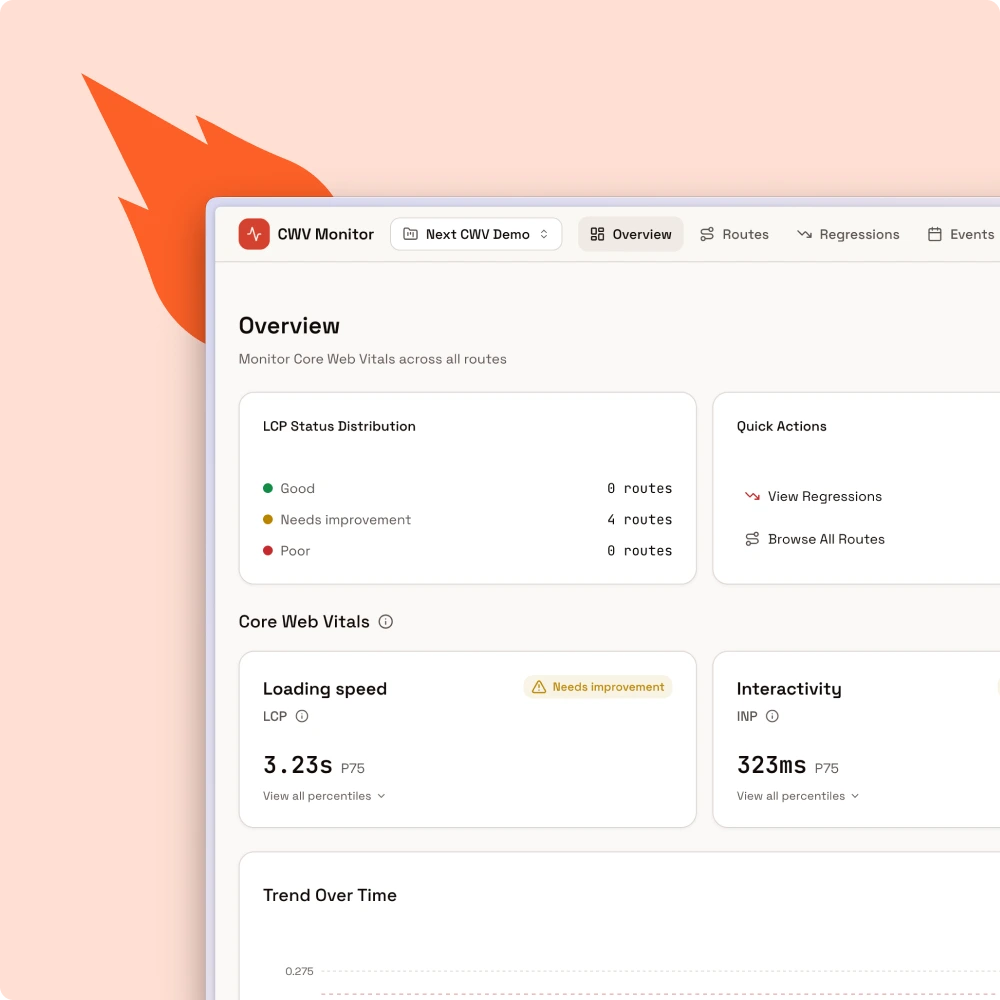
A lightweight client SDK automatically collects Core Web Vitals from every user session. Data flows to a self-hosted ClickHouse backend optimized for time-series analytics. A real-time dashboard surfaces route-level performance with percentile breakdowns (p50, p75, p90, p95), distribution histograms, and time-series comparisons.
No platform fees. No data leaving your infrastructure. No vendor lock-in.
The system has three components:
1. Client SDK — A lightweight script that hooks into the web-vitals API. Automatically detects routes in both App Router and Pages Router. Collects LCP, INP, CLS, TTFB, FCP, and FID with zero configuration.
2. Ingestion Layer — Handles 1,000+ events per second without data loss. Batches and streams events to ClickHouse with 90-day default retention.
3. Dashboard — Overview page provides an at-a-glance health check in a single screen. Route detail views show time-series charts, percentile breakdowns, and distribution histograms. Loads in under 2 seconds for typical datasets (100K+ events).
User visits your app → SDK collects CWV metrics → Events batched and sent to ingestion endpoint → ClickHouse stores and indexes → Dashboard queries and visualizes in real-time.
Step 1: Deploy the monitoring stack
Spin up the ClickHouse backend and dashboard using Docker. A single docker-compose up gets you the ingestion layer and monitoring dashboard running on your infrastructure.
Step 2: Install the SDK
Add the lightweight client SDK to your Next.js app. Works with both App Router and Pages Router — automatic route detection means zero configuration for most setups.
Step 3: Start collecting data
Deploy your updated app. Within minutes, real user Core Web Vitals start flowing into your dashboard. Route-level breakdowns, percentile analysis, and regression detection — all from real field data.
Stop paying platform fees to understand your own application's performance. next-cwv-monitor gives you the same real user monitoring capabilities as enterprise tools — self-hosted, open source, and fully under your control. Track regressions the moment they happen, not weeks later. Connect performance to the metrics that actually matter to your business.
Built by the team that delivered 70% LCP improvements for CookUnity, monitored 150M+ monthly visits across Iberion's portals, and maintained 18+ months of zero performance regressions for revenue-critical applications.

Test our OSS libraries, check our partners, talk to our clients—before you commit.

100% Next.js. Enterprise-grade. Frontend, infrastructure, architecture.

Engineers who think like owners. Proactive, accountable, quality-obsessed.

We build your capability, not your dependency.